
23 Jul Inside the WordPress Ecosystem with Stefano Minoia & Alicia
Inside the WordPress Ecosystem with Stefano Minoia & Alicia
23rd July, 2022
As a proud media partner of WordCamp Europe 2022, we had the chance to sit down with Stefano Minoia and Alicia for an insightful conversation about their journey, ideas, and the future of WordPress. This episode captures the moments, thoughts, and stories that stood out. Here’s our full chat – enjoy reading!
This is your host, Vineet Talwar, back again, live and exclusive from WordCamp Europe in Porto. We are sitting at the last day, and today we have two special guests with us. One of them, I met him at WordCamp Milan. He was one of the organizers at WordCamp Milan, where I hosted one of my talks, and another guest is Alicia from Italy, but you’re from Spain or Italy. I am from Italy, but I live in Barcelona. OK, yeah, OK, so yes, welcome on the show.
Welcome. Thank you.
So guys, we can go on and on and talk about that. We would like you to introduce yourself to our listeners. So let’s start with Stefano
Yes. So I’m Stefano Minoa, I’m from Italy, I’m from Milano, and I am a front-end developer and an accessibility specialist. I am self-employed, and for the past 2 years, I’ve been involved in the WordPress community as the accessibility team representative.
All right. And what about you, Alicia?
Well, thanks for inviting me. I’m Alicia. I’m Italian, but I’ve been living in Spain for 10 years now. I work as a freelance copywriter and software localizer, so I work with words, but I’m very focused also on inclusive language and accessible language, so I approach accessibility from the word side; I mean, from the copywriting side of things.
All right. When was it that you guys entered the world of WordPress, and what motivated you?
Well, it was in 2018. I just decided to open, to start something for myself, and I got into web development because I’ve been a consultant for a few years for a company. And for that company, I managed their websites, and so I decided that it was just something that I wanted to do, and I loved WordPress because it was very easy, and for one of the first jobs I got, I actually opened the websites and saw that there was a WordPress event. near me on the dashboard, and I decided just to attend, and that’s how I got started with the WordPress community and basically also with WordPress.
Alright, what about you?
I started with WordPress as a blogger, so for my personal projects, but then in 2015 I joined the WordPress company, WP Rocket. They made a cash plug-in. I started working in support with them, and that’s when I started going to work camps and meeting the community. And so since then, I’ve been, I mean, following work camps and the Italian community especially, and I’m part of the polyglots team, so I deal with translations, and that’s it. I mean, it’s been, it’s been a journey so far.
All right. So, let’s talk a bit about your work and your day to day life, what kind of projects you guys do or who are you employed with? What your one day would look like.
Well, actually, I’m a, I am, I’m, I’m a consultant for a company, but I work there as a, as a sales technical, consultant, and, but it’s, it’s something that has nothing really to do with with WordPress, and also, but I also I’ve, I’m, I’m also self-employed and I work as a, as I said, as a front-end developer and an accessibility consultant basically for small businesses. But also for some government, small government, agencies basically.
Alright
And as for me, I mean, it’s difficult to define a typical day, but I have different clients; for some of them, I translate a lot of strings, plug-ins, and WordPress teams from English to Italian, and then I work a lot with. Copywriting. So I write copy for new websites or blog articles, and I also do a lot of training with companies about inclusive language and accessibility in copywriting. So I mean, I wear many hats. Yeah, we all have been there.
All right. So, let’s talk about your workshop that happened yesterday, Git and GitHub actions in theme development, Stefano.
Yeah, actually it’s Git and GitHub for theme development, so it doesn’t include the actions, which are a really advanced topic. actually, my presentation. It was about introducing the developers or people who are just getting started with WordPress to how they can effectively use Git and GitHub to manage different versions of their theme. Git is an extremely powerful tool. It’s easy to understand, but I think a general idea of the idea behind it, how it works, and why it works that way is quite difficult to grasp in the beginning. So basically what happens is that you just start following the tutorials or following or just copy-pasting comments in the command line, and it’s very easy to get lost in what’s happening. So what I wanted to do was to introduce people to these tools so that they know how to use them, and basically I wanted to do that also because it’s something that you can actually use also for contributing to WordPress. So I wanted people to understand how they can get started with this tool and also to start contributing to WordPress with code possibly.
OK, that sounds really interesting. I hope people had fun.
People had fun, actually. I asked people if they were following the presentation, and they said that it was right, so I’m really happy with that. Everything went smoothly, and that’s already a great result, at least for me.
Awesome. So, Alicia, you also had a workshop yesterday. Any tips for brilliant and accessible writing? Could you tell us a bit about that?
Yeah, it was like 50 minutes to explore what alternative texts are. Why, as copywriters or web designers, should everybody that touched a WordPress site have sensitivity about good text for images? She was. Yeah, and so we explore what good old texts are and why we should always add them to our images to make them more accessible to different kinds of people, you know, if we leave images without alternative texts. They’re basically not accessible. They have no voice. The message of the image is not passing to people with visual impairments or people that are just browsing the web without images on. And so I thought about a few exercises to introduce people to the art of writing alternative text from a copywriting point of view. So to explore the context of the images we upload on the web and, starting from that, decide what is the best alternative. Text to describe our images and make our websites more accessible, but also social media. I mean, there are a lot of social media platforms that allow you to add alternative text to images. So it should be a really good practice to use them to add them always, always when we browse, when we use social media. All right, but what is the main recommendation you would suggest to the website editors? What should they follow when they’re adding context and stuff? Oh, they should try to describe the images as transparent and honest as possible, but stay concise, like brevity and details. So we should think about images as something that needs to be accessible to everyone, including people that cannot see them. So just be concise and transparent and find a good sentence that can describe the sense, the context of an image.
I’m going to definitely look at your workshop. All right. So, you guys are working in the field of accessibility. How’s the experience so far? Or could you please share a bit about basically what accessibility is about and how people can benefit from it, or what the benefit of it is?
Well, accessibility is a very vast field actually because it’s something that is at the intersection of development, design, and content creation. So it’s it’s a very complex field and actually the goal of accessibility is to make the web usable even for. People with disabilities. Now this sounds strange because we tend to mistake to to not to confuse accessibility and inclusion, but actually accessibility is about helping people with disabilities. So this is our focus. this is extremely, it’s, it’s an extremely important field, it’s an extremely complex, but, I think it’s extremely important to take them in consideration because otherwise they would have no way basically to use the web. So this is what we focus on. It’s extremely vast, I would say.
All right. And what’s your take on that?
Yeah, I agree with Stefano. It’s a very super broad field, and I, on my side, also noticed that there’s a lot to do in that in terms of copywriting of content creation. As Stefano was saying, sometimes we think about accessibility as something very technical that only developers or people touching code can deal with. But it’s not true. Everybody can really do something to make content more accessible, be it like adding alternative text to images or also, for example, not using special fonts on social media, trying to always think about the most simple and effective solutions to convey your messages in a more accessible and usable way. So yeah, there’s a lot to do, but I think that everybody can do something, starting from the basics, and then if they want, I mean, there are so many courses and trainings available also in the WordPress environment that are super useful and important to follow.
Actually, I just wanted to add that adding alternative text to images is probably the easiest way to get started with web accessibility. The other thing is to check for contrast, but these basically are the two most common accessibility errors that we find on websites. Basically on more than 80% of the websites in the world.
Alright. And how can one get started? Basically, optimizing their website for accessibility, let’s say, other than alt text, what else should they do?
Well, as I said, the other big problem is color contrast. If we want to talk, let’s say, if you are a content creator, what you should take care of, in my opinion, is alternative text for images. If you are a designer, you should check for contrast to be. Sure that there’s another contrast, enough contrast, in between, for example, text and background. If you are a developer, the starting point would be to make sure that every input field in your website has a label. So that it can be easier even for people with certain kinds of disabilities, especially blind people, for example, to know what they have to put inside a certain input field. So basically, if someone wants to get started, whether they are content creators, designers, or developers, these I would say are the starting points. These are the most common errors we find on websites.
All right, and any thoughts from you?
Yeah, I agree with Stefan, and I also would say to start by learning about learning accessibility. I mean, there’s the W3C resource, which is a consortium that globally takes care of and publishes guidelines about accessibility. And there’s a ton of information that is very accessible to everybody, so according to your interests, everybody can really find precious information to start dealing with accessibility on the daily, in daily work, right? Daily tasks.
All right. So, let’s move on to the next question. We have seen that organizations basically never prioritize accessibility. They are mostly focusing on new feature development. It has never been their priority. How do you think we can change that mindset, or is there any suggestion to change that mindset, basically?
Well, if we want to talk about it from an ethical point of view, I think that it would be very easy to make people take care about the web accessibility. But what I would say actually is that it is, in fact, taking care about accessibility from the beginning allows companies to save money. Because if you work, for example, on a certain website, you create a website and then try to add accessibility in the end, it’s going to cost you a lot of money because in some cases you have to, review a website from the beginning, otherwise you have to ref a code. So actually it’s going to take a lot more time and a lot more money than if if web accessibility was taken into consideration. From the beginning. So this is something that I think that can be interest anyone. So if, it’s just money saving. If you want to get accessibility, if you want to have a website that is accessible, thinking about it from the beginning is definitely the best choice.
All right. And what do you think?And what do you think? That from a copywriting point of view, this also applies, I mean, when we write content because embracing accessibility means expanding your audience. Writing more accessible content means using simpler language, which doesn’t mean to simplify how we communicate, but just to make our text, for example, more more. more usable for everyone. So, for example, if you have a website or a blog, embracing accessible copywriting means that more people can read our content, can share it, can speak about us, and so it is a money saver, as Stefano was saying, but also, a way to to boost your audience and your traffic, for example. So it’s all a really nice virtual, virtuous chain, yeah. And how’s accessibility in WordPress core? Is there any support from foundation to push accessibility?
Well, accessibility is taken care into core by the accessibility team, which I am happy to be the team representative for. And there’s a few people working on it on a weekly basis, I would say, I would say on a day to day basis because everybody’s contributing to WordPress on some people are contributing to to WordPress accessibility on a daily basis, but actually we have weekly meetings where we discuss about what we are working on. that is what should be, WordPress aims to be accessible, at a level AA according to WordPress, web content accessibility guidelines, version 2.1. actually, what happens is that, WordPress is a very, is a very big project with very few, few people working on its accessibility, so it’s very difficult to stay up to date. If we consider the fact that, most of the development of WordPress in the last few versions is focused on Gutenberg. which is moving at an even quicker pace, we really struggle to keep up to date. So at the moment, the problem is that the core of WordPress and the core editor of WordPress, so the blog editor, is actually Not really usable for people with disabilities. So a lot of people with disabilities still continue to use the classic editor, and they, they are really worried that the classic editor at a certain point of time will be taken outside of the WordPress call.
Hm. So there’s still, OK, so there’s still a long way to go in good and bad to improve accessibility.
All right, do you have anything to add?No, I, I don’t work in court with courses, so I trust Stefan and his opinions, and it’s, it’s a debate that I follow as an external person, but yeah, I, I agree. At the same time, there, there is a lot of people who is taking. Care of this. For example, for me as a content writer, the work of Ran Ritfeld has been super important to, to make me feel more interested about this topic. So, if we have a long journey, many things to fix, but luckily we also have super experts and, people that are working on that, so. We had a chance to meet Ryan Rewe in season two, at World Camp Europe in Serbia, if I remember it correctly. So yeah, we got to know some good insights from her as well, how the accessibility, efforts were back then. So thank you for updating us what, what this is up to.
All right. So what are the future plans of Accessibility team of WordPress?
Well, that’s really difficult to say, we, I can tell you what is what happened in the last year, basically, and because that helps understand where the WordPress team accessibility team is going. So we decided to, I wouldn’t say divide, but have 7 different working groups who are working on different aspects of the WordPress accessibility. So basically we are the people who are working on the point of touch between accessibility and design. There’s people working on the media library. There’s people working on Gutenberg. There’s people working on WordPress Corps. there’s people working on accessibility documentation, and I have to say that this is one of the most, of the fields that benefited most from the creation of working groups, people working at the intersection of the of the of the creation and accessibility. And also people working on Meta, so all other websites connected to WordPress and I think I went through all of them. Yeah, in case I’m missing something, it’s, I hope it’s not so big an issue.
So, Alicia, let’s talk about accessible writing. What are your thoughts on that?
Yeah, there’s many things to cover. I mean, it’s a broad topic as well, and, you know, with the expansion of social media, a lot of people is putting themselves into writing and content creation and ignoring some of the most best practices and basic practices in accessibility. So I think it’s very important to, to gain some knowledge on this topic because everybody really can do something, even little, to make content more accessible, and usually people don’t think that writing can be an accessible practice. so, and I mean, I’m very excited by the fact that also in these two days during the work camp, many talks, even if they were about design or other topics, were introducing accessibility concepts, and that’s very interesting because accessibility is an always Horizontal, topic that everybody can really take a grasp on. write, and writing is also included in that. So the more we can learn about it, the better the web will be in the future. So just let’s put into practice. All right, guys, let’s put into practice. All right, so last segment of our show is life outside WordPress. So what do you guys like to do, things that are not WordPress or what do you do in free time? Let’s start with you, Avi. OK. Oh my, free time. I live by the sea in a little town in Spain, so I really enjoy going to the beach and relaxing with my dog and my partner. We love taking really long walks in nature and So, but at the same time, I also love, visiting the city. Barcelona is a very vibrant and dynamic city with lots of, art expositions and good food, good tapas. So eating and yeah, I love eating. Right, yeah, that was the, the objective. Yes, visit Barcelona because it’s a wonderful city and the food is very good, people is very welcoming, so I really enjoy my life in, in Catalonia and that’s what I do when I’m not at a computer writing my text.
Awesome. I would love to see Barcelona one day. I saw a lot of pictures on Instagram. Alright, Stefano.what I always say when I am not busy bothering my friends talking about WordPress or web accessibility, as I, as I say. I am a choir singer in, in my free time, and, I’ve participated, I’ve started singing in a choir, in a more, more frequent way since 3 years ago, and, I have been basically sung with different choirs from all kinds of music, basically Western music, but from beginning from the Renaissance period until to to modern, to modern classical music. Basically, with different bias and and that’s something that I love to do because it’s something that it’s really liberating for my mind, I would say. So I realized that when I’m when I sing, I really forget about everything, so it’s something that’s really relaxing for me even if it. Something that requires a lot of concentration because you have to consider a lot of things, you have to follow what the director is doing, you have to read the music, you have to pay attention to what you’re doing, but still, it’s something that you really have to concentrate on and when you concentrate on that, you do not think about anything else. And that’s awesome because we are always very focused on something on work and it’s really, it’s really life saving I would say.
That’s nice. All right. So, last question for this interview. You guys survived. Congratulations.
OK, thank you.
So it’s an Easter egg question as we call it. So let’s start with you. What is your favorite song?
Oh, my favorite song. I have many favorite songs. I like doing karaoke. So at the moment, I mean, what should I choose? Oh, this is a difficult question. I mean, like, out of the blue, that’s, that’s why it’s that’s why an Easter rat. Really, that’s, I have. I know the problem.
I understand the problemI love a Mexican singer who is, who is called Lila Downs. I’m going to see her in concert in a few weeks, so I love her songs. Mexican music is. One of my favorites, Mexican folkloric music. So yeah, I don’t have a title, but please listen to Lila Downs.
All right, so guys, we’ll try to put the link for Lila Downs Lila Down in the description so that you can listen to it.
It’s the same question for me. Wow. This is going to be very difficult also for me. Let’s see what I can say of. Yeah, OK, so it’s probably, yeah, OK, yeah, it’s probably going, it’s, it’s probably, a song from by Rihanna. let me think about the name.
You can sing it.
Yeah, no, it’s better now I not have the voice to sing Rihanna. No, but I would say in general, I love Rihanna because she’s, she’s amazing as a. Singer and as a performer also because so it’s, it’s, it’s lovely and she has a lovely voice. Also Lady Gaga, probably.
So we’ll put the links for Rihanna and Lady Gaga so that you can listen to their songs. Thank you guys. Thank you for being part of this episode. It was lovely hosting you today.
Thank you. It was a pleasure.
Alright then until next time guys.
Listen to the audio podcast and other podcasts here.
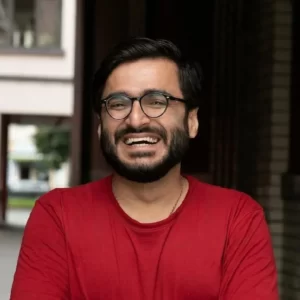
Meet the Host
Vineet Talwar is the founder of Some Tech Work, a Germany-based digital consulting studio, and the creator of Jump.ac, an AI-powered EV fleet charging platform built through the Carbon13 accelerator. When he’s not building products or fixing websites at scale, he’s usually experimenting with new tech ideas or polishing his next WordPress talk.
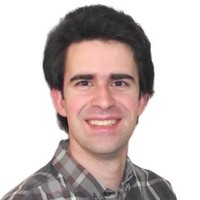
Meet the Guest
Stefano Minoia and Alicia are dedicated contributors within the WordPress ecosystem, each bringing their own strengths to community growth and open-source collaboration. Stefano is known for his work in documentation, accessibility, and mentoring new contributors, while Alicia focuses on communication, support, and creating welcoming spaces for users and creators alike. Together, they represent the heart of the WordPress community — people who give their time, knowledge, and passion to make the project stronger and more accessible for everyone.
Sorry, the comment form is closed at this time.